Building a model
Section templates
Parametric concrete and steel section shapes.
The Template tab generates fibers from a few parameters. Pick a shape from the Concrete or Steel group.
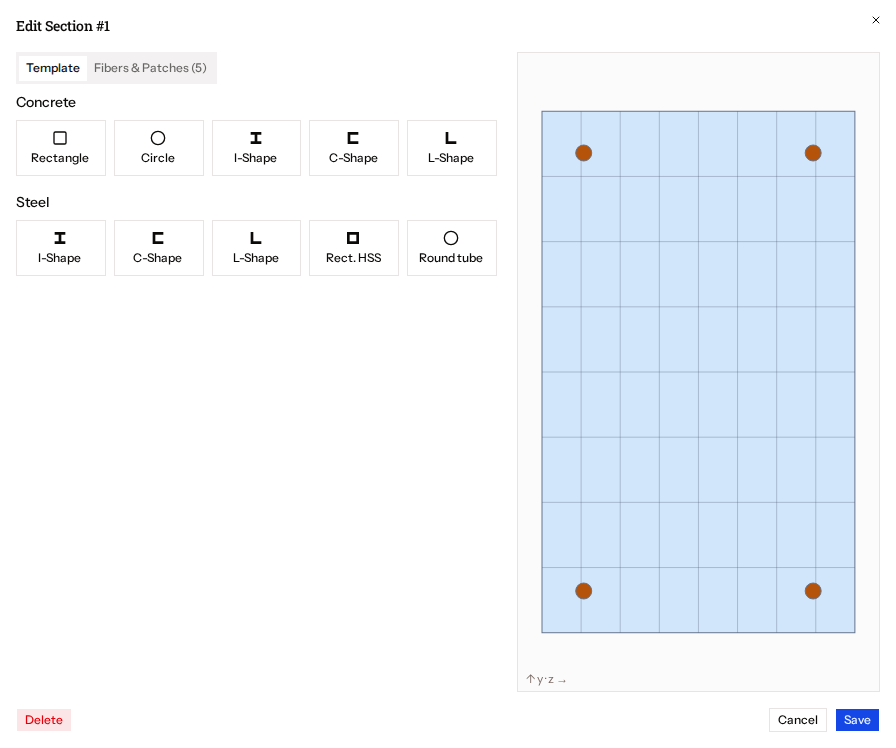
Concrete
| Shape | Parameters |
|---|---|
| Rectangle | Width, depth, core material, fiber subdivisions (y, z); optional rebar: material, bar area, cover, bars along y and z |
| Circle | Diameter, core material, subdivisions (circumferential, radial); optional rebar: material, bar area, cover, number of bars |
| I-, C- and L-shaped walls | Concrete material, geometry, plate mesh subdivisions, web and flange distributed rebar, concentrated end rebar |
Steel
| Shape | Parameters |
|---|---|
| I-shape, C-shape | Depth, flange width, flange thickness, web thickness, plate mesh |
| L-shape | Leg lengths, thickness, mesh |
| Rectangular HSS | Depth, width, wall thickness, mesh |
| Round tube | Outer diameter, wall thickness, circumferential and radial subdivisions |
For steel shapes you can fill the geometry from a catalogue. See AISC shapes.