Analysis
Analysis panel
Author, order and run the analysis sequence.
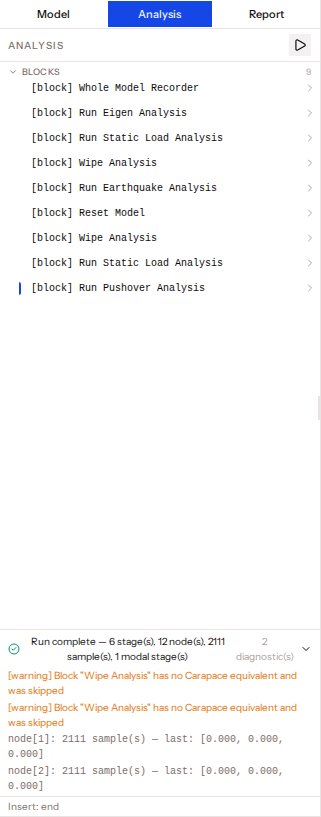
The Analysis tab of the left panel is an ordered list of analysis commands. They run top to bottom, one stage after another.
Adding commands
Use the add box in the Command panel while the Analysis tab is active. It offers analysis blocks (Whole Model Recorder, Static, Pushover, Earthquake, Eigen, Reset, Wipe) and raw OpenSees analysis commands. New commands go at the insertion point: click an insert zone between rows to move it, otherwise they are added at the end.
Working with the list
- Drag rows to reorder them.
- Disable a command with its toggle; it behaves as if removed but stays in the list and the saved project.
- Expand a row to see the OpenSees
ops.calls it generates. - Rows are grouped by category and collapsible.
Running
Press Run to solve in the browser with Carapace; it becomes Cancel while running. A status bar shows Compiling, then the current stage and step, then Done, Cancelled or Error. Expand the diagnostics to see warnings and errors, each tied to a command. Any error stops the run before it starts. See Supported features.