Skip to content

OpenSeesPy modeling, analysis and results

Build, analyze and review structural models.

Model 2D and 3D frames, trusses and shells with OpenSees commands behind every form. Run static, eigen and transient analyses right in the browser, explore deformed shapes, force diagrams and plots, then export a valid OpenSeesPy script when you want to run it in OpenSees.

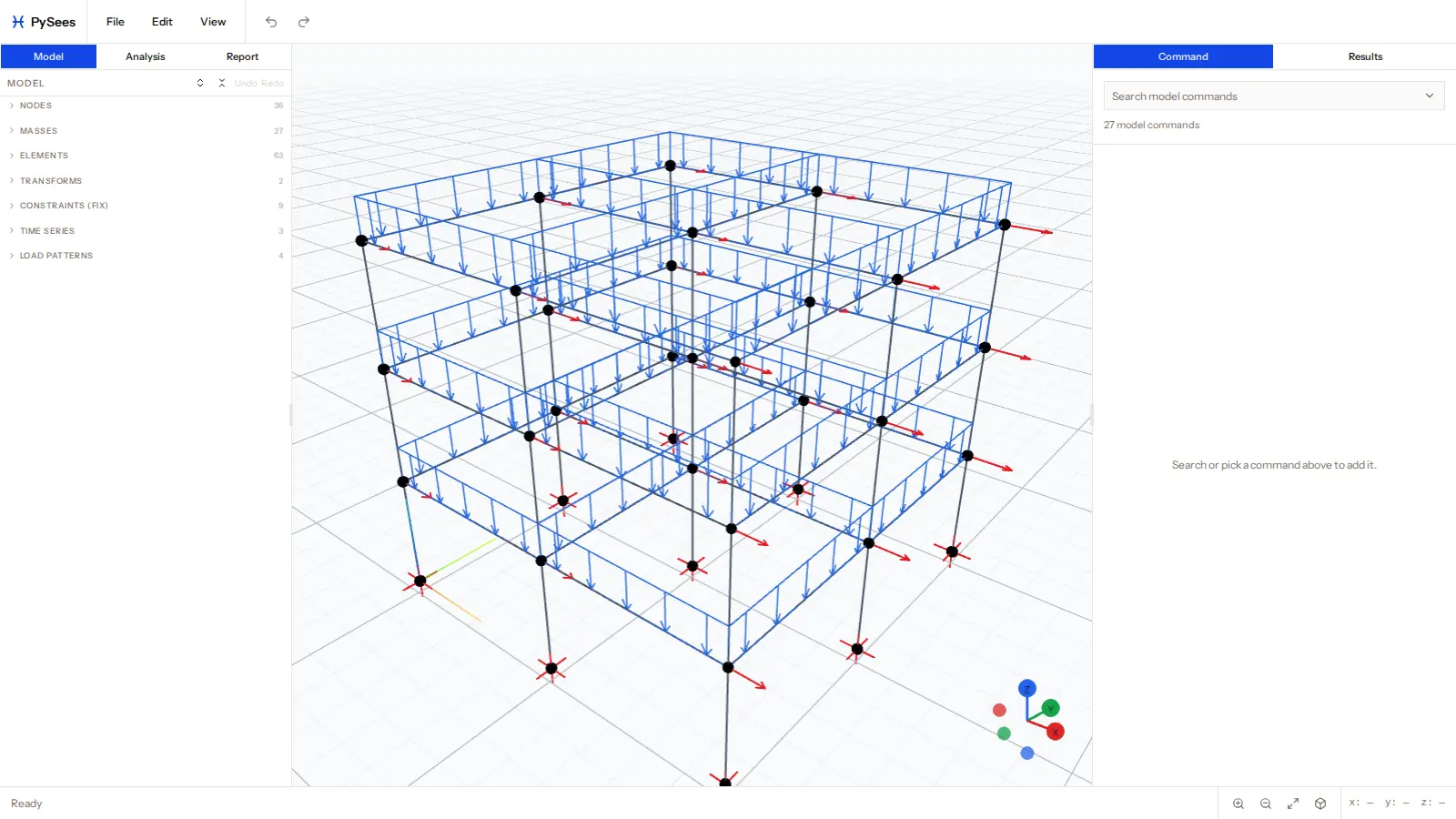
PySees Studio with a 3D frame model, the model panel and command forms

OUR BEST FEATURES

Model, analyze and review in one place, with nothing to install

Every form maps to an OpenSees command, and the model runs in your browser, so a change is a few clicks from new results.

  • In-Browser Analysis: A built-in solver runs your model in a background worker, with no server and no local install. It is checked against OpenSees on the same models.

  • 2D and 3D Models: Elastic and fiber-section beam-columns, trusses and MITC4/DKGT shells, with nodal, element, self-weight and pressure loads.

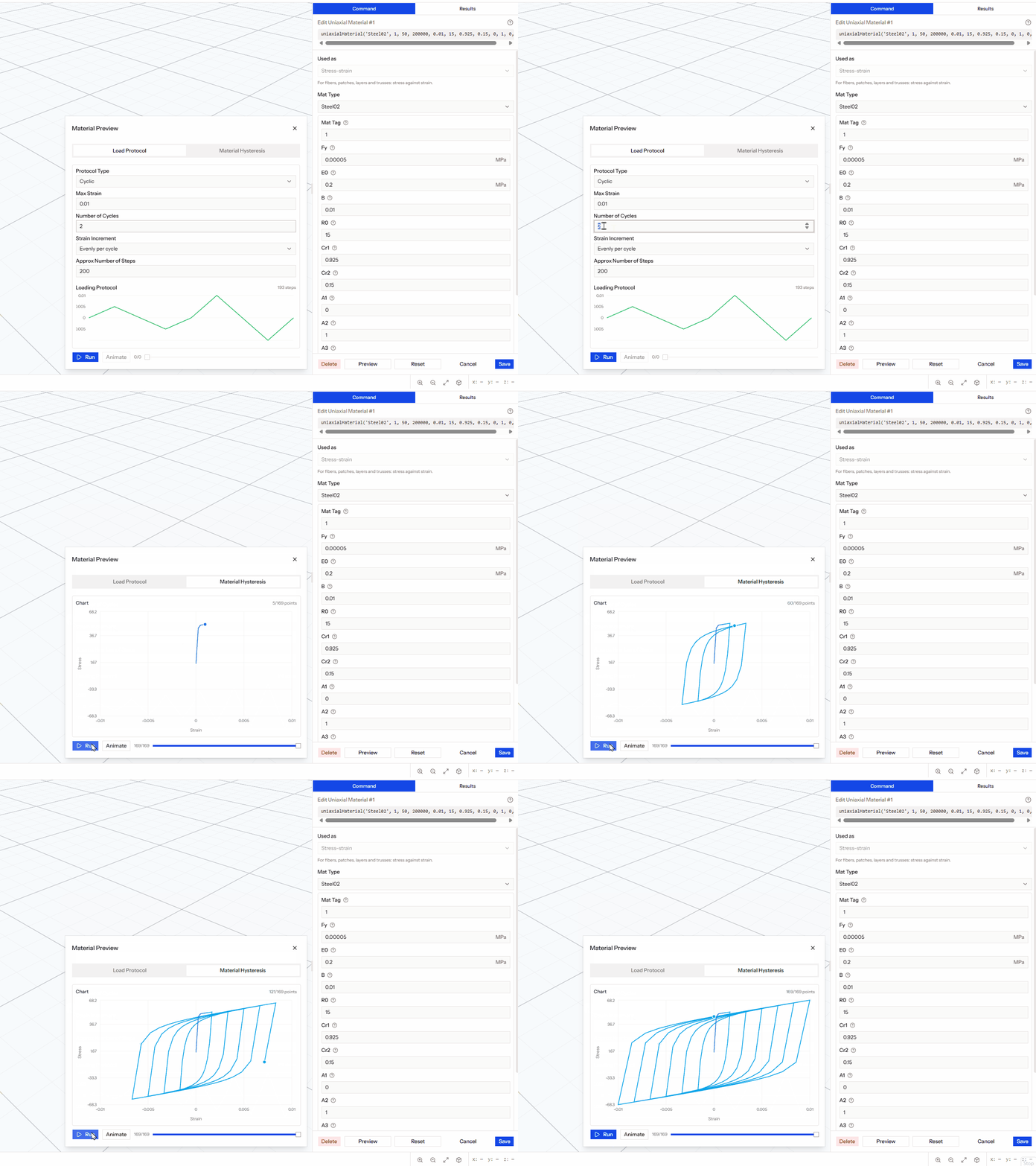
  • Live Material Preview: Drive any uniaxial material through a monotonic, cyclic or custom strain protocol and watch the hysteresis, with a fiber section editor alongside.

Animated stress-strain hysteresis loops from the material preview
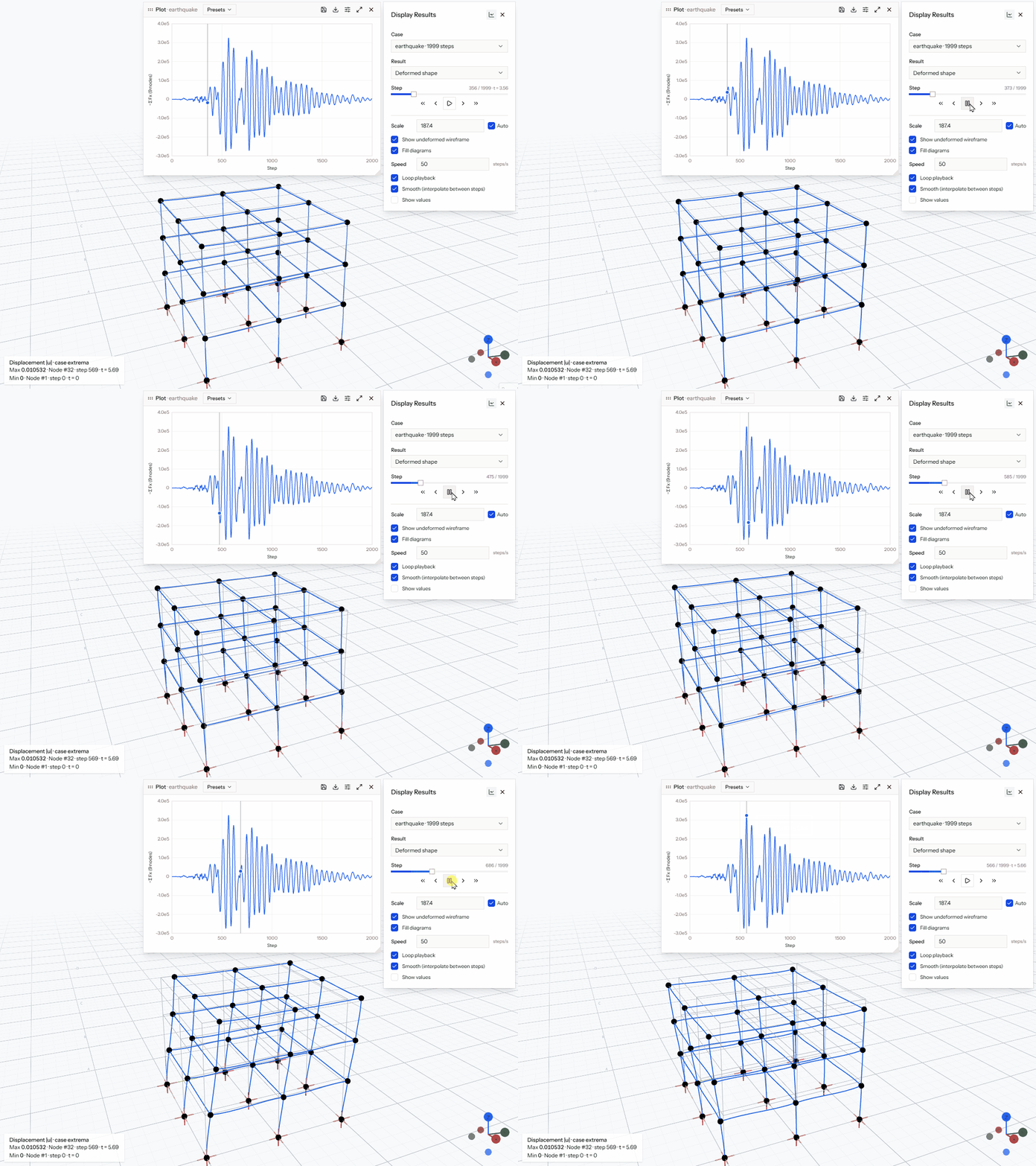
Earthquake response of a 3D frame animating alongside a base shear plot

RESULTS AND INTEROP

Understand the response, then take the model anywhere

Results are stored in your browser and read step by step, so large analyses stay responsive.

  • Results Viewing: Animated deformed shapes, shear/moment/torsion/axial diagrams in the members’ local axes, shell stress contours and step playback.

  • Plots, Tables and Reports: Chart any recorded response, filter and sort data tables, and save plots to a report that regenerates when the model re-runs.

  • OpenSeesPy and Tcl Round Trip: Export readable OpenSeesPy scripts, or import an existing OpenSeesPy or Tcl script into the editor.

Updates

Changelog

See what is shipping in PySees as modeling and results workflows evolve.

v0.5.0

October 9, 2026

3D Models and Shells

Model and review 3D frames and shell structures.

PySees now handles 3D models (Z-up) alongside 2D, including 4- and 3-node shell elements with nodal, self-weight and pressure loads.

Beam local axes follow the OpenSees vecxz rule, and loads, deformed shapes and force diagrams all use them. Shell stress resultants are drawn as contours.

New
  • 3D models with ShellMITC4 and ShellDKGT elements
  • 3D force diagrams (Vy/Vz, Mz/My, torque) in member local axes
  • Shell stress contours in the results viewport
  • Click to select elements in the scene
  • 3D starter template
v0.4.0

October 6, 2026

Analysis in the Browser

Run models in the browser, view results, and move scripts in and out.

Models now analyze directly in your browser with a built-in solver (see Carapace). Runs happen in a background worker and results are stored locally, so there is no server and no local OpenSees install.

Scripts round trip: export OpenSeesPy (or import an existing script) and compare, since the solver is tested against real OpenSees on shared models.

New
  • In-browser static (including pushover), eigen and transient analysis
  • Deformed shape, animation and element force diagrams
  • Plot overlay, filterable data tables and saved Report plots
  • Analysis blocks with drag-and-drop ordering and multiple load cases
  • Import OpenSeesPy and Tcl scripts into the editor
  • Fiber section preview and editor
Updates
  • Retired the local agent; no local OpenSees connection is needed anymore
  • Removed recorder-file import in favor of in-browser results
v0.3.0

March 9, 2026

Live Material Previews

Chart the response of a uniaxial material under a load protocol.

Added a dedicated Material Preview overlay for uniaxial materials. Generate a simple load protocol or use your own, and chart the response of your material definition.

The preview now runs entirely in the browser on the built-in solver, so there is nothing to install.

New
  • Material Preview panel that runs in the browser
  • Load Protocol builder: monotonic, cyclic, and custom strain lists
  • Hysteresis replay controls: Animate and scrub slider to investigate material hysteresis.
v0.2.0

March 8, 2026

Landing + Route Split

New marketing route structure with dedicated studio entry point.

The base route now serves a landing page and the modeling app runs at /studio.

Navigation scaffolds are in place for feature storytelling and change visibility.

New
  • Dedicated landing page at /
  • Studio route moved to /studio
  • Scaffold routes: /about, /contact, /signup, /login
Updates
  • Hero section uses real app screenshots
  • Top navigation includes Features, Change Log, About, Contact
Bug Fixes
  • Fixed route fallthrough issue for scaffold pages
v0.1.0

March 7, 2026

V1 Pipeline Scaffold

Command-history-driven model state and app shell scaffolding.

Initial app shell and model editing flow were scaffolded for end-to-end iteration.

Core focus remains command replay, export-ready script generation, and viewport parity.

New
  • App shell with model workspace layout
  • History-oriented modeling flow scaffolds
  • Initial command form and viewport integration
Updates
  • State/replay foundations for deterministic model rebuilds
  • UI structure aligned with TopBar, HistoryPanel, CommandForm, ActionBar
Bug Fixes
  • Early layout/interaction edge cases still under active hardening