Building a model
Material preview
Drive a material through a strain history and see its stress–strain response.
The material preview applies a prescribed strain history to a unit spring that uses the material, with the Carapace solver, and charts the result. Open it with Preview in the material dialog or when editing a material. It floats over the viewport at the bottom right.
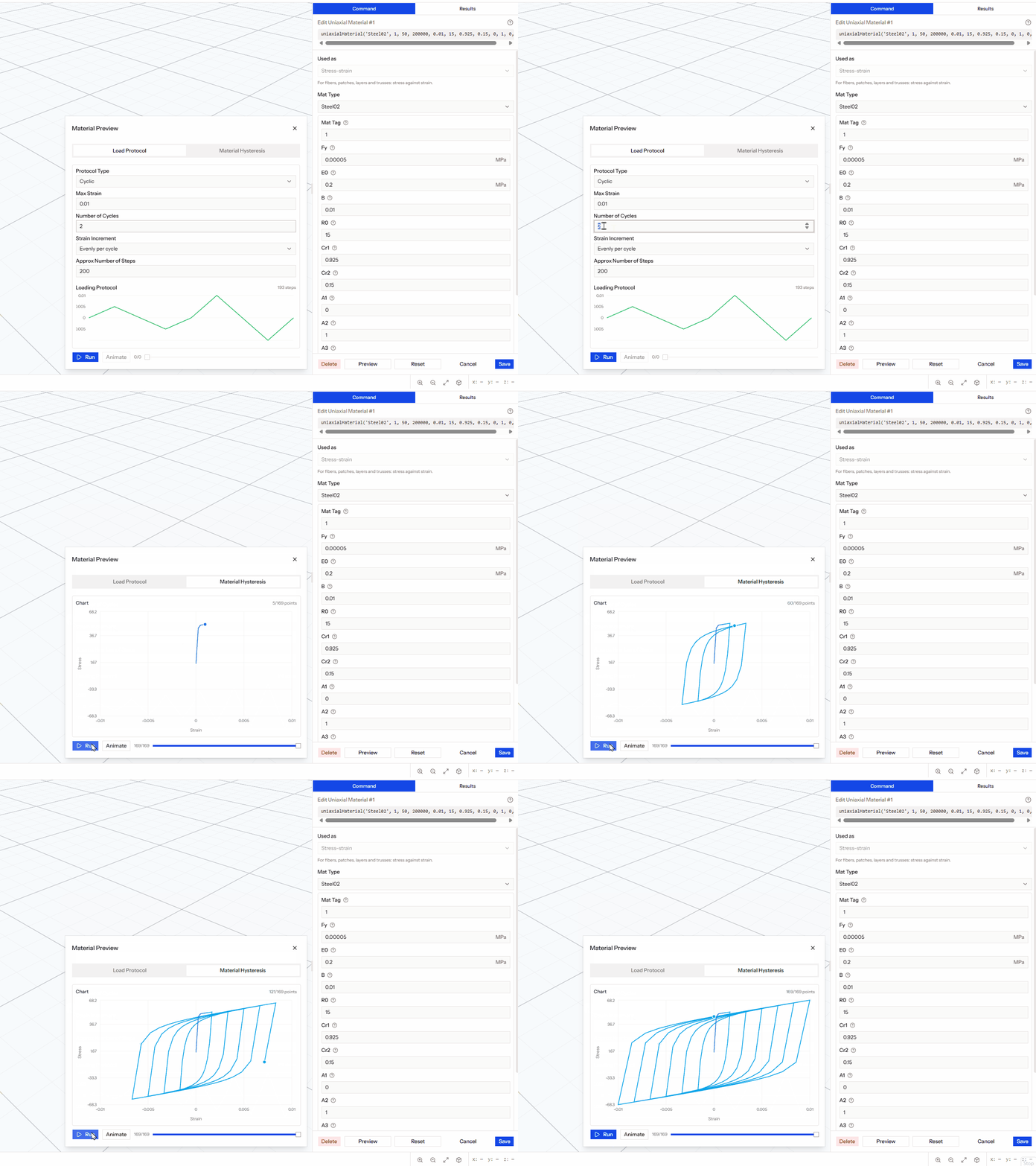
Load Protocol tab
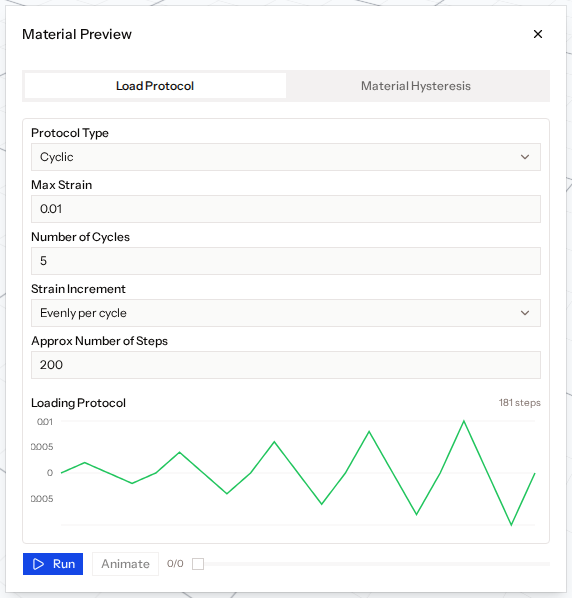
| Option | Meaning |
|---|---|
| Type | Monotonic, Cyclic or Custom |
| Max strain | Peak strain of the protocol |
| Number of cycles | Cyclic only |
| Strain increment | Evenly per cycle, or none |
| Custom strain list | Comma-separated strains (Custom only) |
A chart of the protocol and the approximate number of steps are shown as you edit.
Material Hysteresis tab
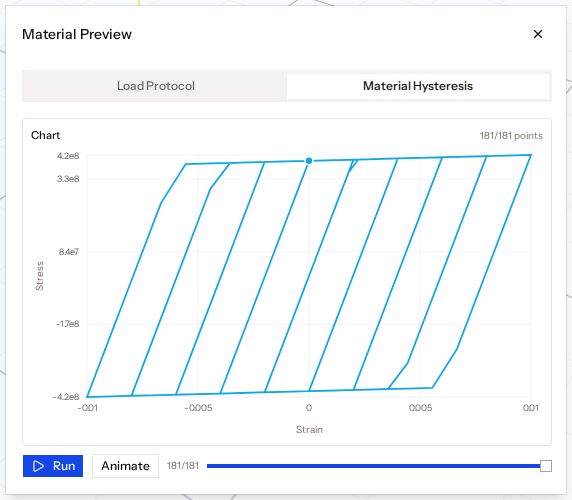
Press Run to solve. The chart plots strain against stress. Animate replays the response over about five seconds, and the slider scrubs through the steps. Changing any input clears the old result.